Red's Recipe Manager
One current copy of every recipe on every tablet
newelldigital.com
info@newelldigital.com
A Newell Digital, LLC product
Red's Recipe Manager keeps one current copy of every recipe on every tablet in
your kitchens. We set it up and load your recipes for you. It works alongside the
costing tool your distributor already provides.
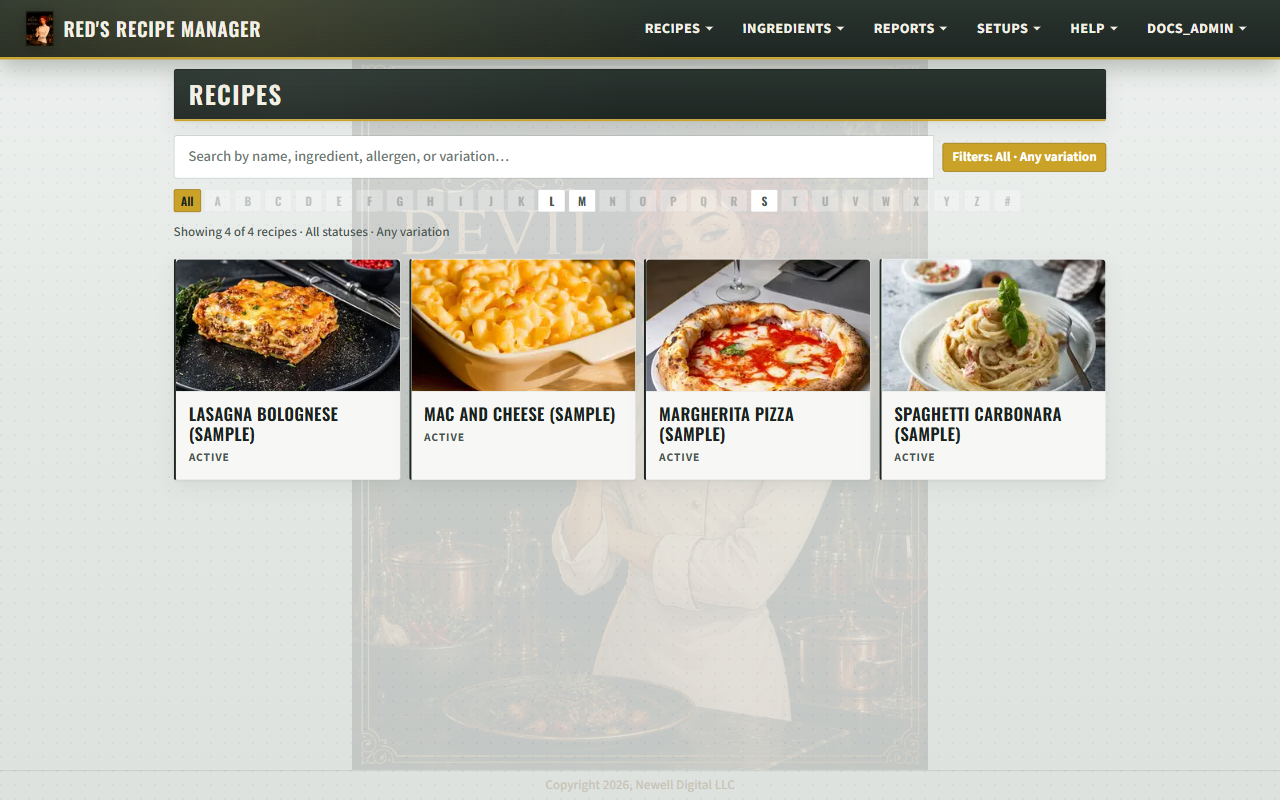
Recipe catalog
Photo cards, search by name or ingredient, A–Z index, and active/inactive filters.
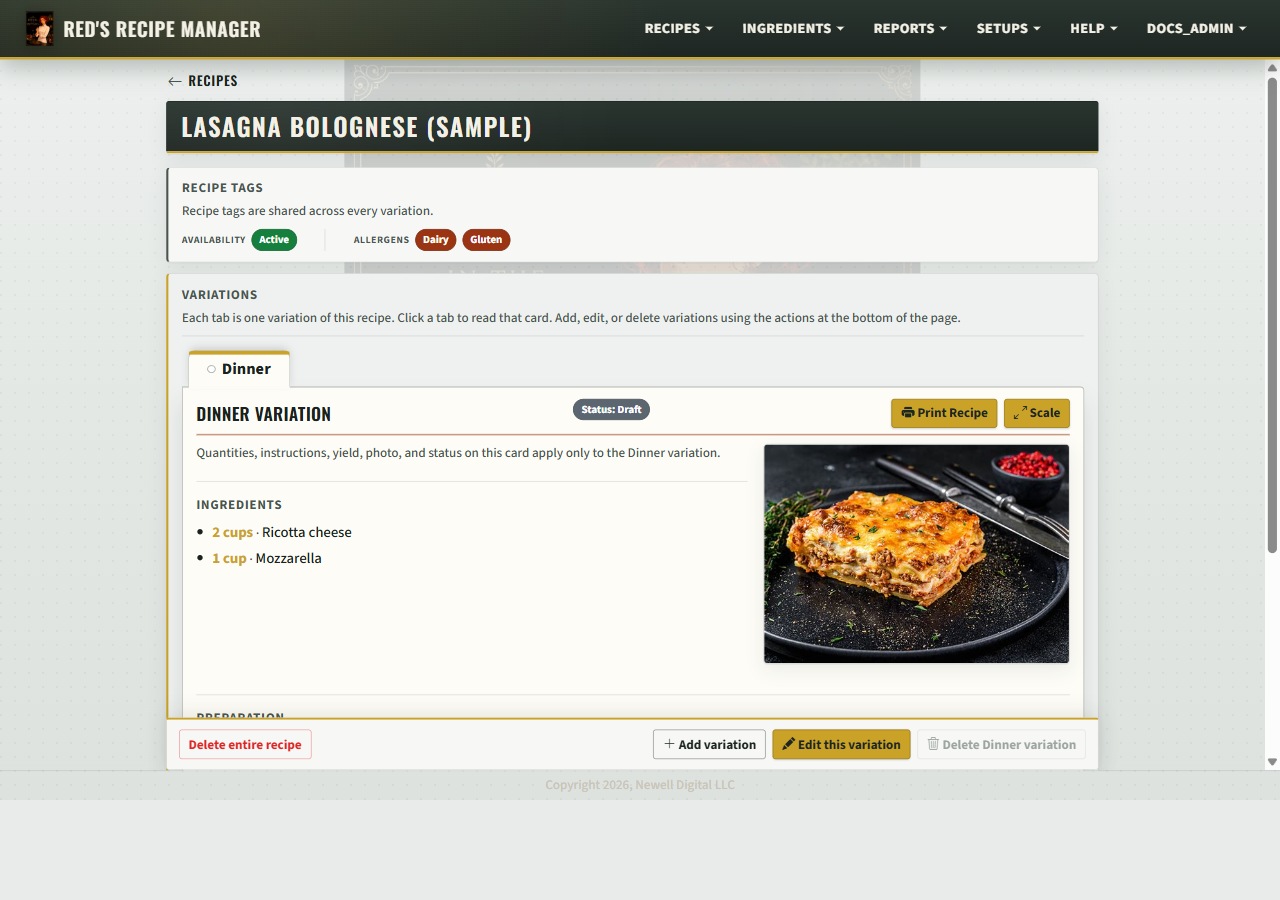
Recipe card
Allergen tags, service variations (Dinner, Catering…), yield, steps, and a photo.
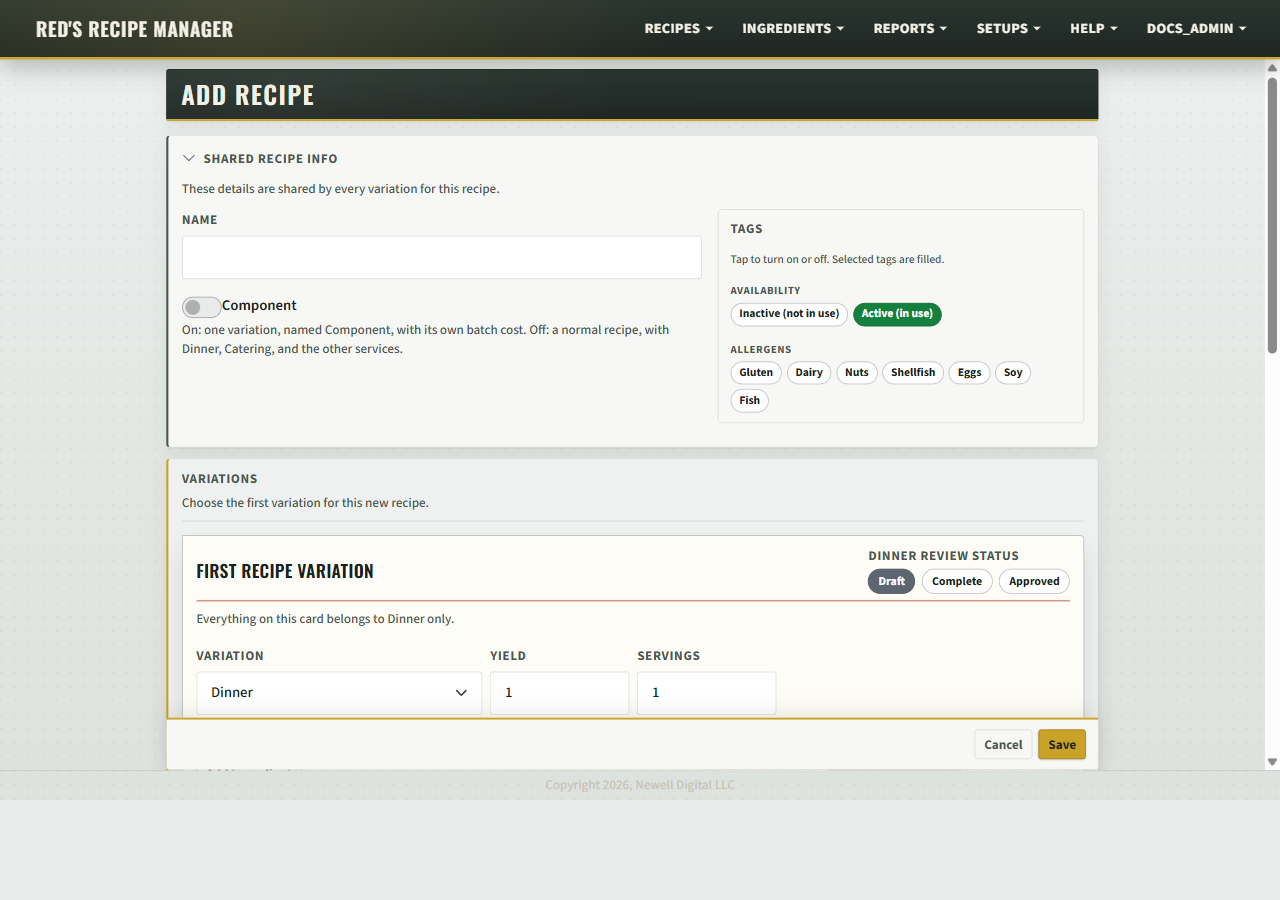
Add and edit
Shared name and allergens. Each service variation has its own ingredients and steps.
Features
One catalog, every device. Staff open the same recipes in any browser on the tablets and computers already on the line.
Service variations. Up to five per recipe, for example Dinner, Catering, and Brunch, each with its own ingredients, yield, steps, and photo.
Sub-recipes. A house-made sauce or base prep is a component used inside other dishes.
Allergen tags. Tags belong to the dish and carry through to every service variation and printed card.
Printed recipe cards. Print from the same screen the team uses, with the open variation and its allergens.
English and Spanish. Staff switch the interface language. Recipes carry Spanish prep notes alongside English text.
Scaling. Scale any recipe to any batch size. Ingredient amounts recalculate together.
Costing. Manual ingredient costing when you want it. Enter a price per ingredient and see cost per serving across every variation.
Getting started
1
We set it up
We configure the kitchen name, service names, and user accounts before you log in for the first time.
2
Recipes loaded
Send us your existing recipes in any format. We load them into the catalog so the team starts with a full menu.
3
Staff sign in
Each person gets a login. Admins can edit; read-only accounts can view. Unlimited users included.
4
Updates push live
Every edit is immediately visible on every device in the kitchen. Nothing to install or sync.
$790 / yr
Single · 1 location
or $79 / mo · 2 months free
$1,290 / yr
Group · 2–5 locations
or $129 / mo · 2 months free
Mobile app included. Unlimited users and devices.
Request a demo: info@newelldigital.com ·
newelldigital.com/recipe-manager/
Newell Digital, LLC · Baltimore, Maryland · info@newelldigital.com
Page 1 of 2
Red's Recipe Manager
Feature Detail
newelldigital.com
info@newelldigital.com
A Newell Digital, LLC product
Catalog and recipes
Recipe catalog
Each recipe is a card with a photo and an active or inactive status. An A–Z index and a search bar sit above the list.
Search and filters
Search by dish name, ingredient, allergen tag, or service. Filters narrow the list to active or inactive, or to a single service.
Recipe card
Allergen tags belong to the whole dish. Each service variation has its own ingredients, yield, servings, steps, notes, photo, and review status.
Up to five services
Name services to match your operation — Dinner, Catering, Brunch. Renaming a service updates every recipe that uses it.
Sub-recipes
A component is a house-made sauce or base prep. Other recipes use it as an ingredient.
Ingredient notes
A prep note on any line, for example melted, large, or divided, appears on the card and in print.
Print, scaling, and costing
Printed recipe cards
Print from the same screen the team uses. The card shows the open variation, its allergens, and any scaled quantities.
Scaling
Scale any recipe to any quantity. Ingredient amounts recalculate for prep lists and events.
Recipe costing
Manual costing when you want it. Cost and unit on each ingredient. The variation cost report shows total cost, cost per serving, and flags missing prices or unit mismatches.
Reports
Catalog overview
Counts of recipes, services, and ingredients for a quick picture of catalog completeness.
Variation audit
One row per dish, one column per service. Each cell shows Approved, Complete, Draft, or Missing.
Active ingredients
Every ingredient on an active recipe, with a tap to see which dishes use it.
Change log
A record of who changed what and when, visible to admins.
Variation cost report
Total cost and cost per serving for every variation. Requires costing on.
Ingredient cost ranking
Ingredients ranked by cost contribution across the catalog.
Administration
User roles
Admin, editor, and read-only. Accounts are created by an admin — no self-registration. Accounts can be turned off without deletion.
Backups
Snapshot recipes and photos from inside the app. Ten most recent kept. Restoring saves current state first so a bad restore can be undone.
Bulk upload
Import many recipes from a spreadsheet. Download the template, fill it in, preview, then commit.
Ingredient library
Shared list organized by supplier. Costs on the ingredient record apply to every recipe that uses it.
Kitchen branding
Set the kitchen name and upload a logo. The name appears at the top of every screen.
Status workflow
Each variation moves draft → complete → approved. The variation audit tracks progress across every dish.
Language
English and Spanish
Staff switch the interface to Spanish. Each recipe carries Spanish prep notes alongside the English text.
Optional recipe drafting
Paste notes or a URL to draft a recipe for review before saving. Off by default. Uses your own OpenAI key.
Optional Spanish drafting
Draft Spanish preparation notes on any recipe. A staff member reviews and marks the draft accurate.
$790 / yr
Single · 1 location
or $79 / mo · 2 months free
$1,290 / yr
Group · 2–5 locations
or $129 / mo · 2 months free
Mobile app included. Unlimited users and devices.
Request a demo: info@newelldigital.com ·
newelldigital.com/recipe-manager/
Newell Digital, LLC · Baltimore, Maryland · info@newelldigital.com
Page 2 of 2 · Red's Recipe Manager © 2026 Newell Digital, LLC